

Workamp — Construction Management Platform
Overview
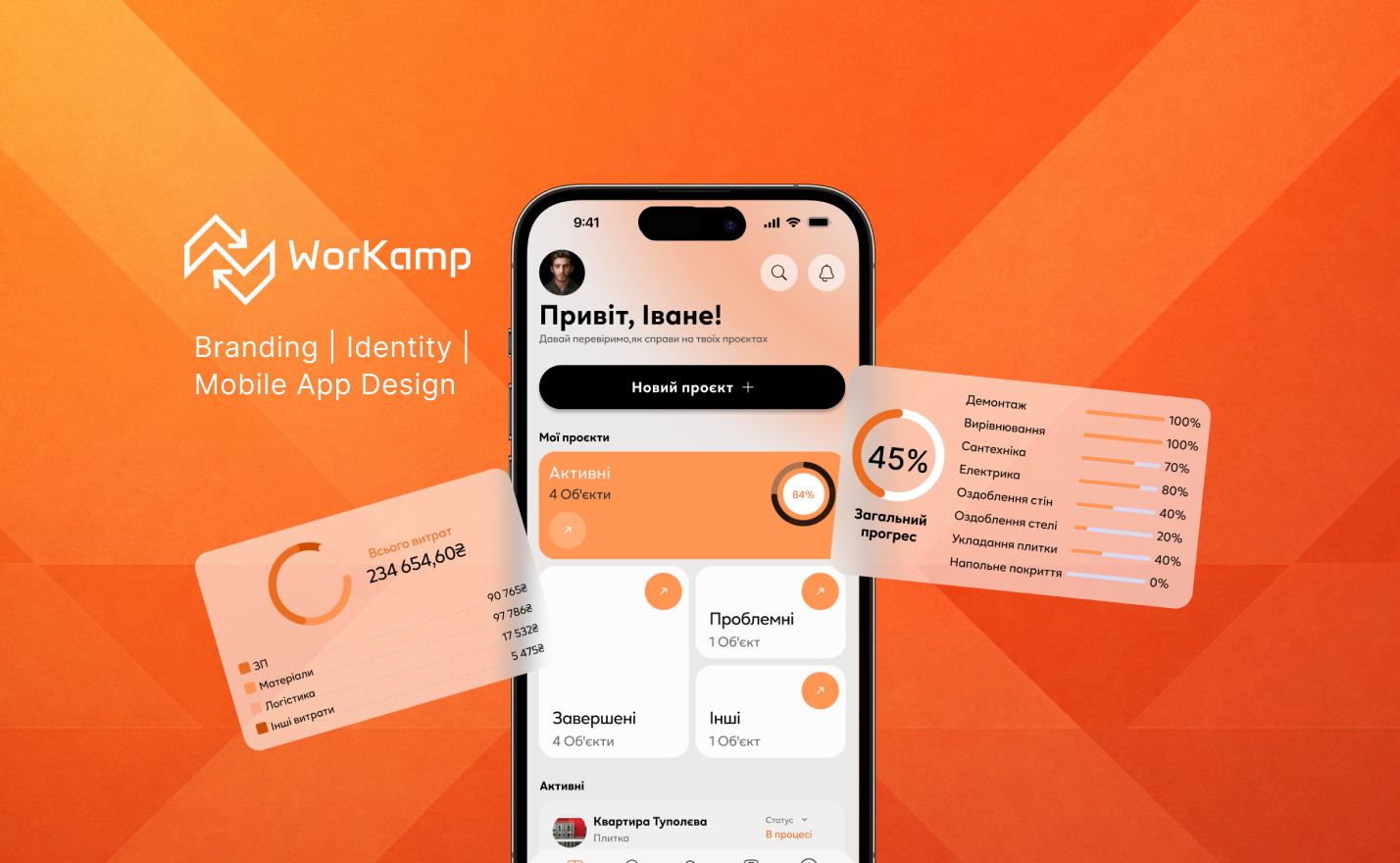
Workamp is a mobile platform designed to help construction teams, contractors, and small companies manage projects, coordinate workers, and track daily operations in one centralized system.
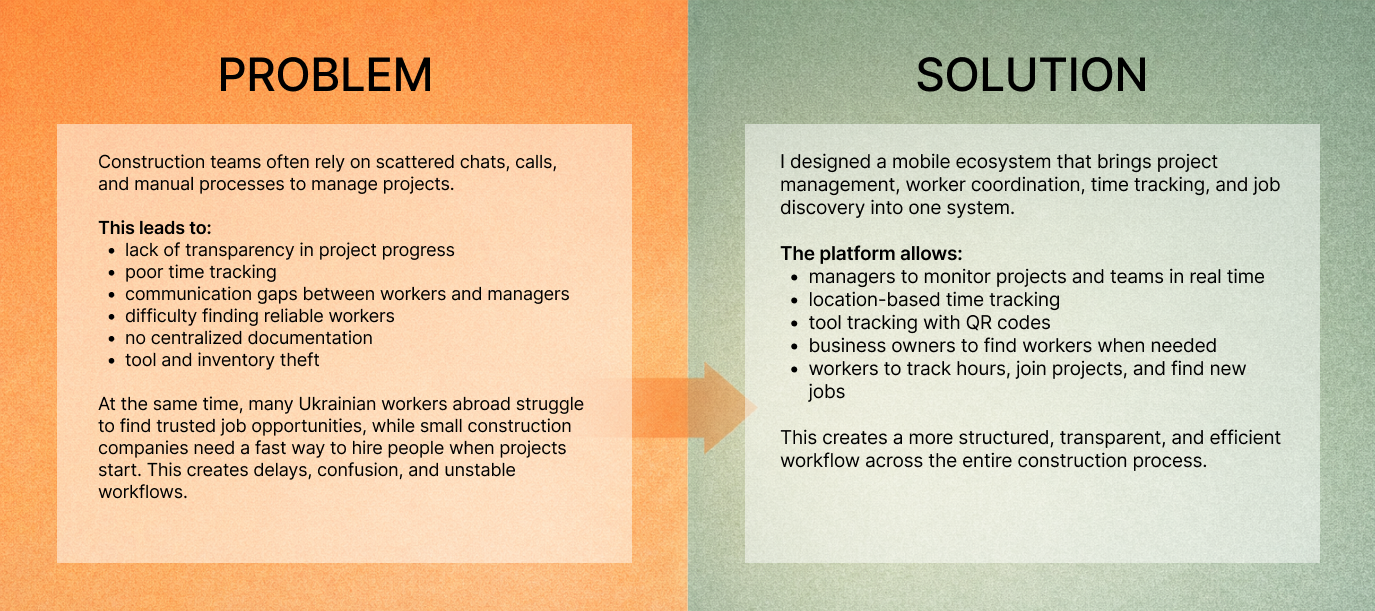
The construction industry often relies on fragmented communication, manual tracking, and scattered documentation, which leads to delays and a lack of transparency. The app was created to simplify how teams organize work, monitor progress, and stay connected without constant on-site supervision.
It brings together project management, time tracking, worker coordination, and communication in one intuitive interface, giving managers real-time visibility while helping workers easily track their tasks and hours. The goal is to create a more structured, transparent, and efficient workflow across the entire project lifecycle.
Why this matters
For employers:
- less financial loss
- more control without micromanagement
- clear understanding of time, costs, and inventory
For workers:
- fair payment
- clear rules
- trust-based collaboration
- access to future projects through the platform
My role
I worked as a UX/UI and Brand Designer.
I was responsible for:
- product structure and core user flows
- UX logic for business and employee sides
- branding and visual identity
- communication with developers at all stages
- adapting design to real technical constraints
I also found and onboarded developers for the project.
Branding
The visual identity was designed to reflect strength, clarity, and reliability — key values in the construction industry.
The brand system became the foundation for the interface, helping create a consistent and recognizable product experience.
UX THINKING
I started by mapping user roles, key scenarios, and system structure to understand how different users interact with the platform.
This helped define:
- navigation logic
- feature hierarchy
- user journeys
- core product architecture
CORE FEATURES
Time Tracking
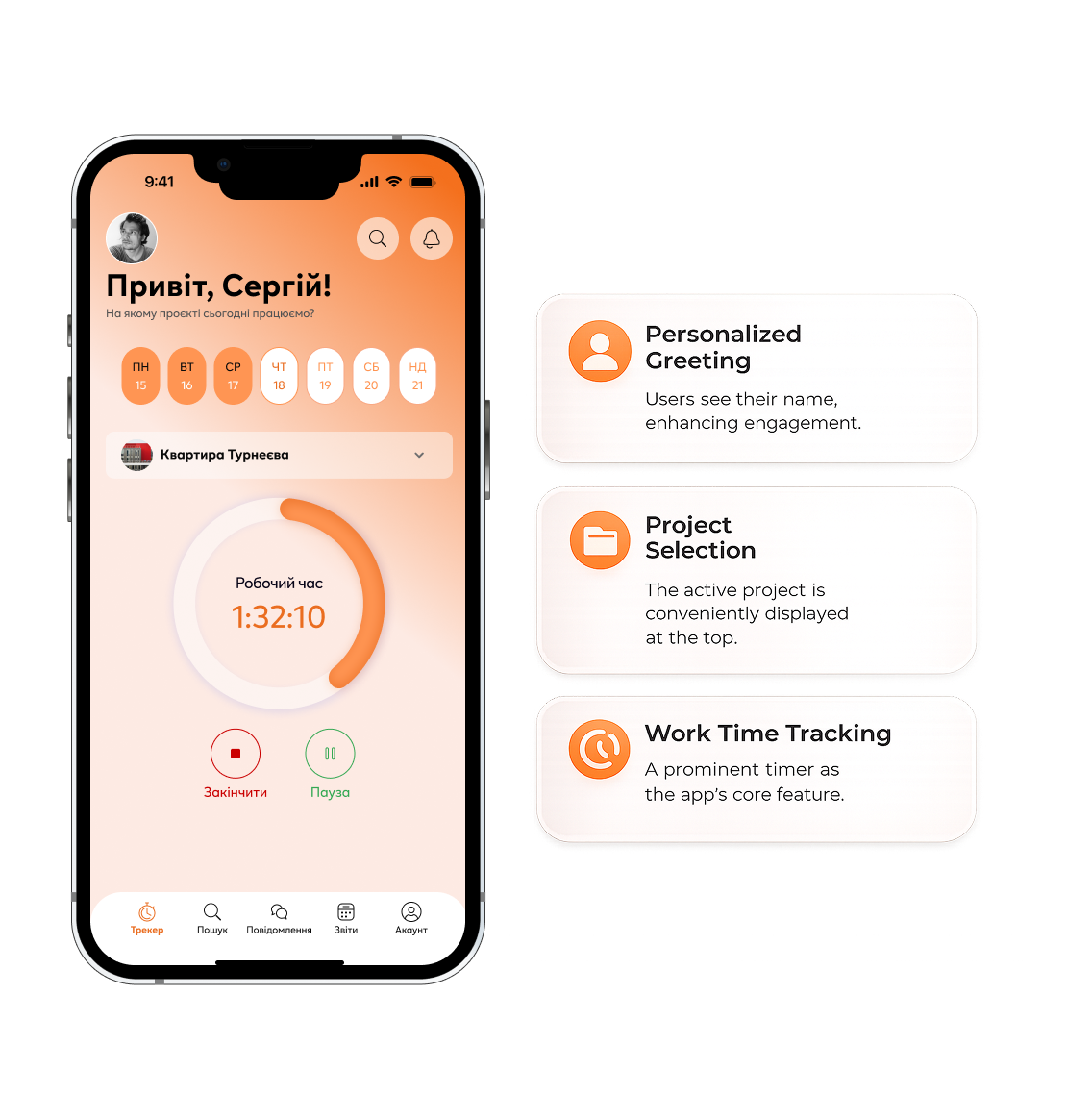
The timer is the main screen for workers.
It allows them to track working hours instantly upon arrival on-site.
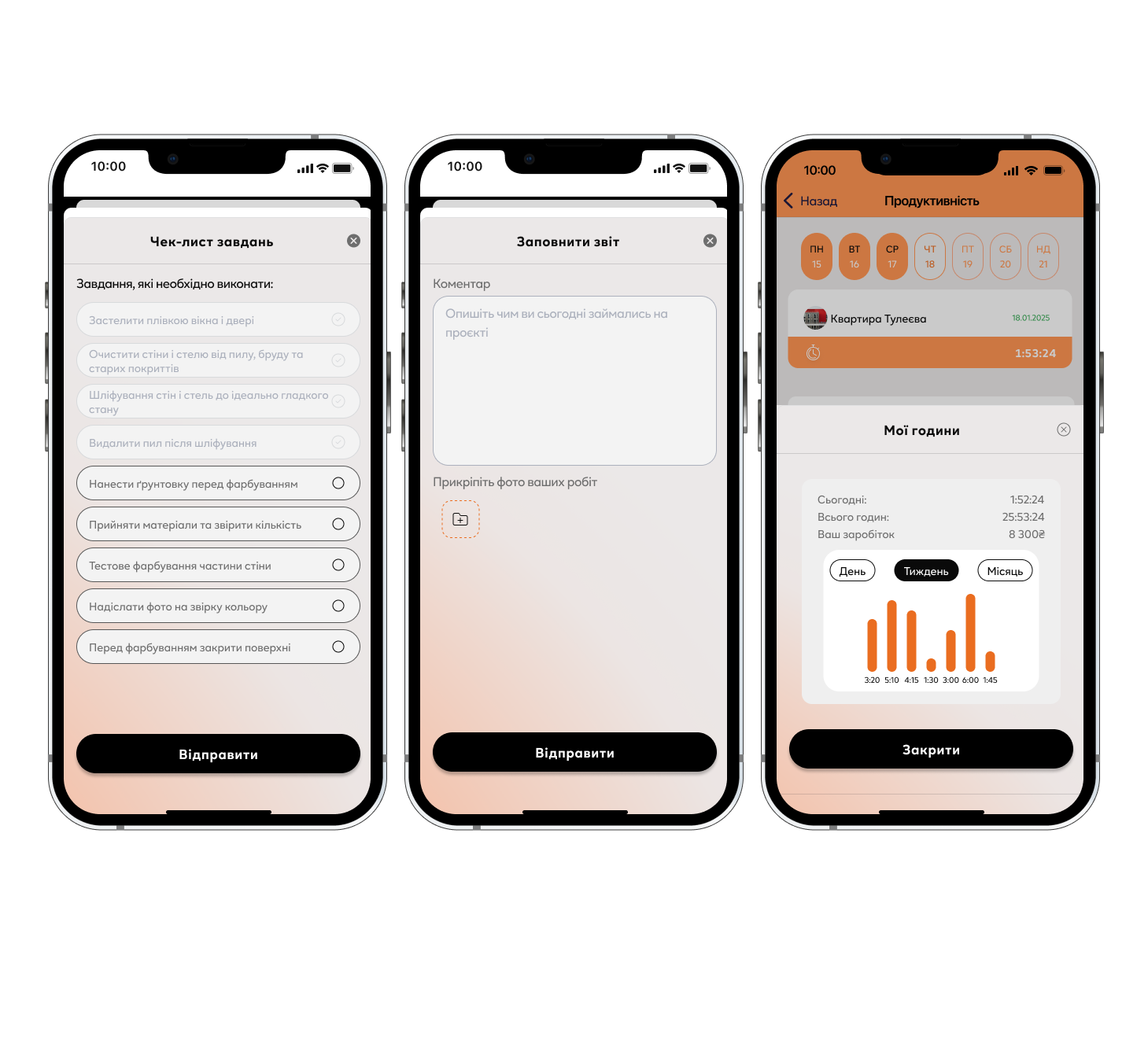
This feature helps:
- ensure fair payment
- increase accountability
- give managers real-time visibility
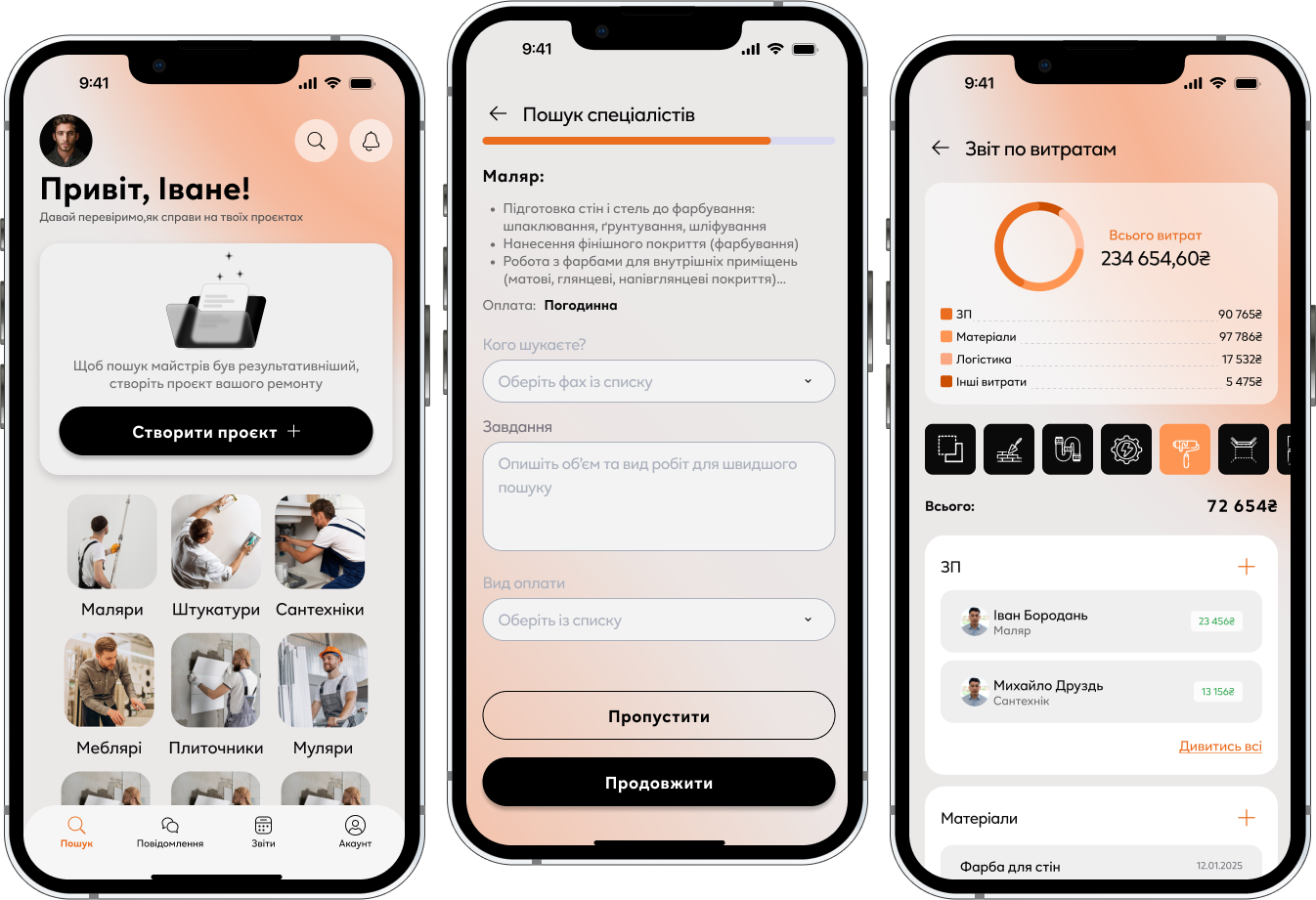
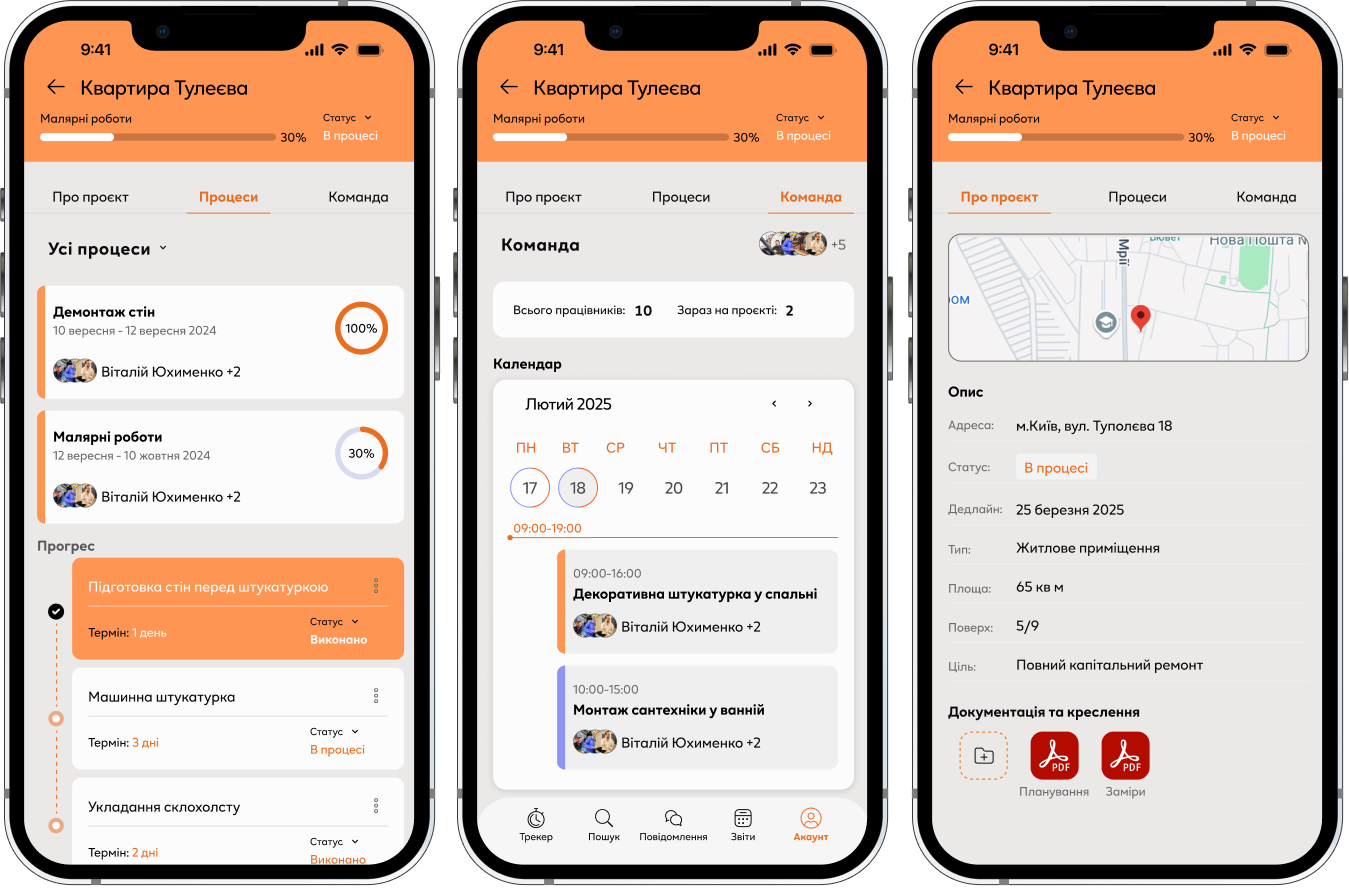
Project Management
Users can:
- create projects
- track progress
- see active / completed / problem projects
- access project documentation
This provides full visibility into the workflow.
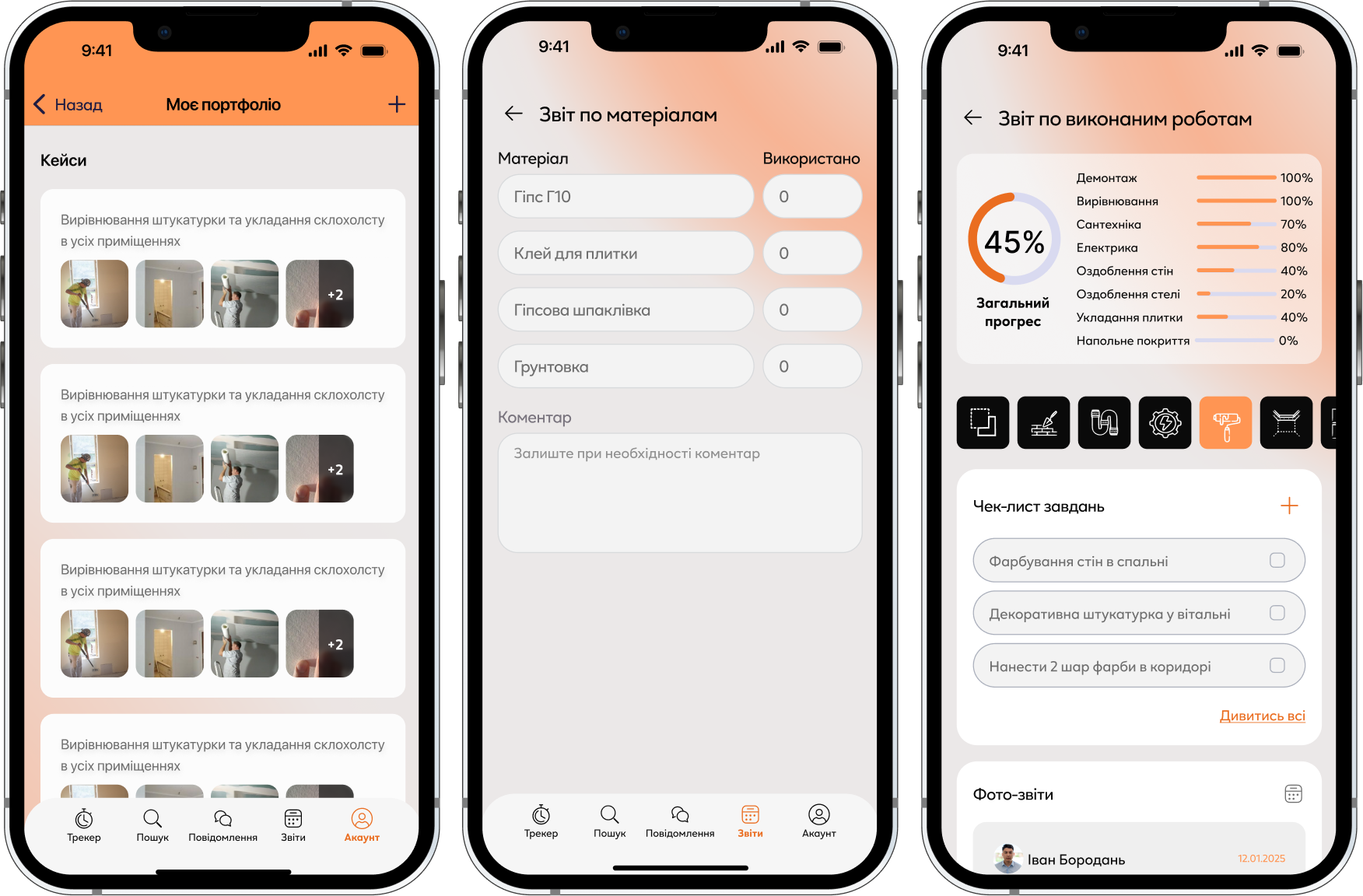
Worker Profiles
Each worker has a profile where managers can:
- track performance
- see completed work
- reconnect for future projects
This also helps build long-term collaboration.
Search System
Users can search for workers:
- by location
- by specialization
- by availability
This makes hiring faster and more flexible.
Communication
The built-in messaging system allows teams to:
- clarify tasks
- discuss progress
- share updates
Reducing the need for external tools.
Inventory Control
Workers can track used materials and equipment to prevent losses and improve accountability.
Reports
Managers can access reports to:
- monitor performance
- track completed tasks
- analyze project efficiency
IMPACT
Even as a concept, the platform is designed to:
- reduce project chaos
- improve time tracking accuracy
- centralize communication
- increase worker responsibility
- help teams find new job opportunities
